

Online Foreign Currency Exchange Service (Online FX Service) Real-time FX at your fingertip
Online Foreign Currency Exchange Service (Online FX Service)Real-time FX at your fingertip
Online FX are now available on Fubon Internet Banking Service and Mobile Banking app “Fubon+”. Fubon+ offers 7x24 service, individual customers can perform foreign exchange in Fubon+ at anytime. Internet Banking offers foreign exchange service from Monday to Friday: 9:00am to 6:00pm (except public holidays).
Whether you are travelling overseas, making overseas payments or saving for the future, you can instantly transfer funds between self-name Fubon Bank accounts with different currencies through Online FX Service. You can easily trade 10 major foreign currencies# with HKD, USD or RMB at real-time foreign exchange rates. The maximum daily transaction amount is HKD5,000,000 or its equivalent. The minimum amount for each transaction is HKD 30 / USD 4 / RMB 30.
#Major currencies include HKD, RMB, USD, JPY, GBP, CAD, AUD, NZD, CHF, EUR and SGD.
Note:
- Foreign currency exchange is subject to Foreign Currency Exchange Risk. The value of your foreign currency deposits will be subject to the risk of exchange rate fluctuation, you may suffer losses.
Foreign Currency Exchange with just few steps
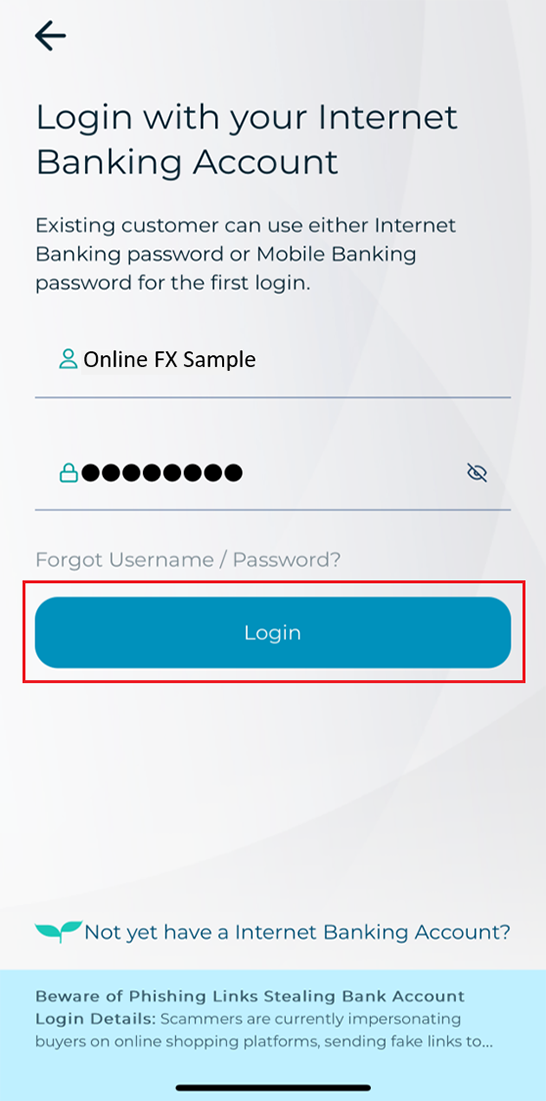
Foreign Currency Exchange with just few stepsStep 1: Logon to Fubon Internet Banking account
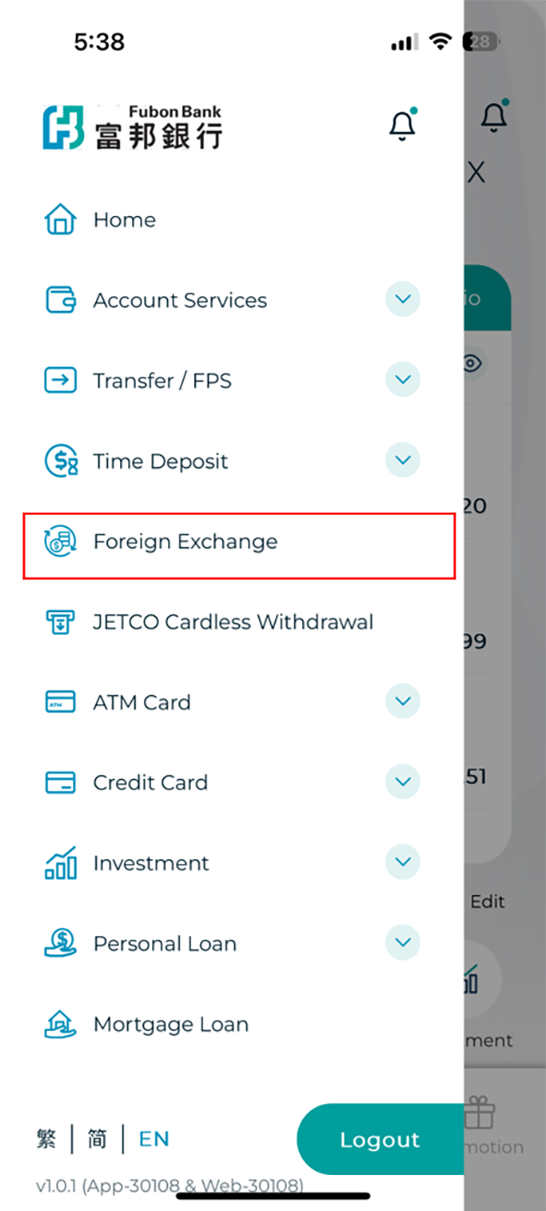
Step 2: Press “Foreign Exchange” on the side menu
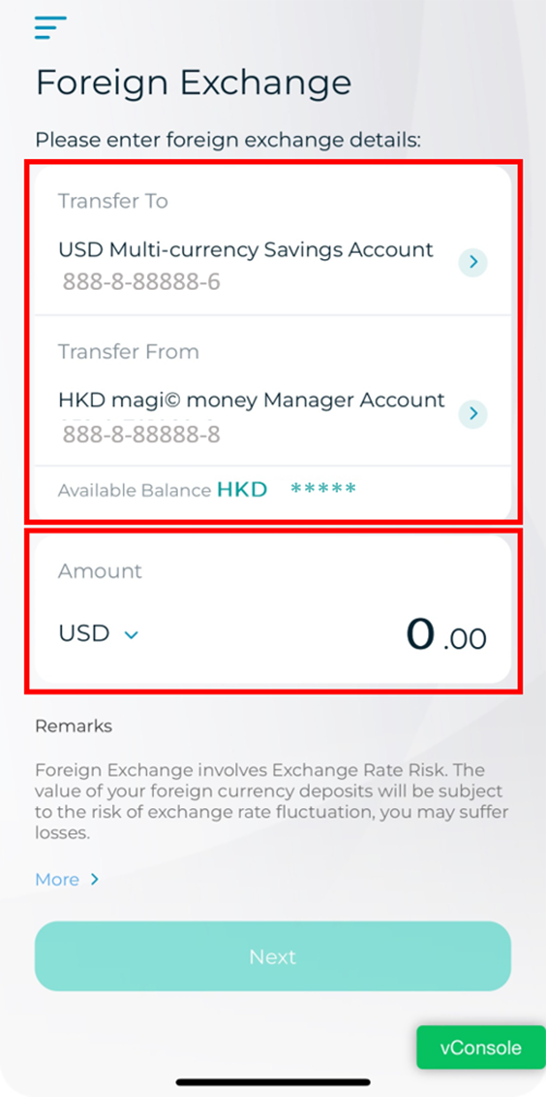
Step 3: Choose self-name Fubon accounts with different currencies as debit and credit account and input transfer amount
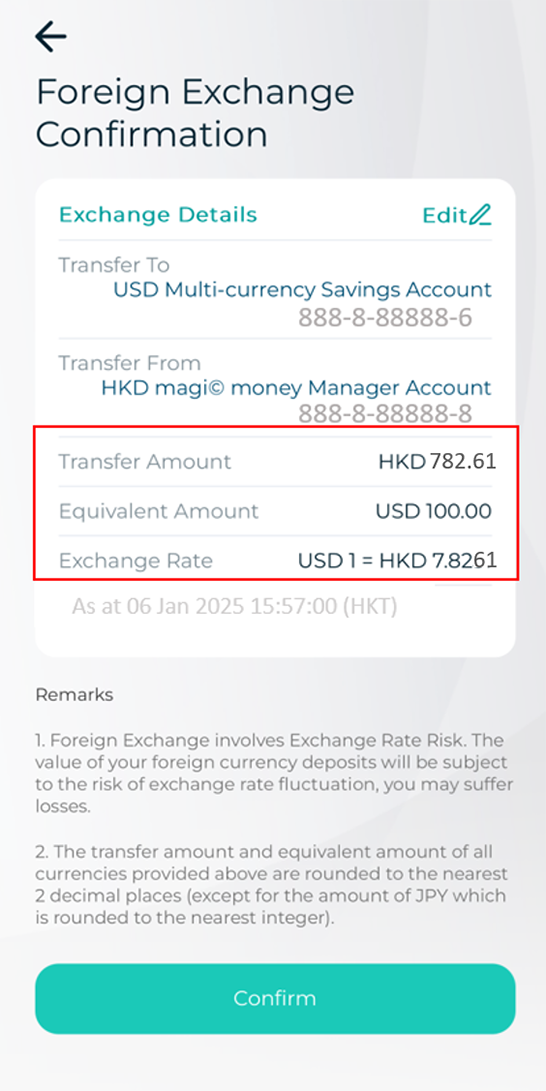
Step 4: Get the real-time exchange rate, click “Confirm” to process the transaction. If you would like to get the most updated real-time exchange rate again, you can click “ Edit” to update the rate.
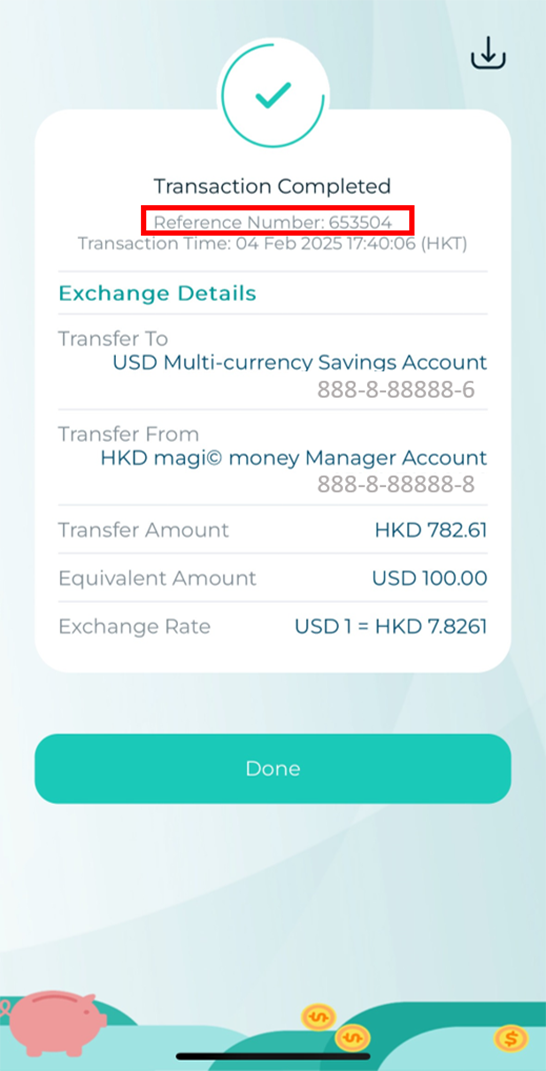
Step 5: A reference number will be displayed on screen after the transaction is complete. Please keep this reference number for future enquiry.
Member of Fubon Financial Holding Co., Ltd.
© Fubon Bank (Hong Kong) Limited . All Rights Reserved.